How Admin Overhead Limits Diesel Shop Throughput
Most diesel repair shops do not hit a hard ceiling because of a lack of work. They hit it because of admin.
Work orders get delayed. Status updates are unclear. Parts are missing from jobs. Invoices wait until someone has time to reconstruct what happened in the bay.
The shop is busy. The techs are working. But throughput stalls anyway.
That is the admin bottleneck.
What Admin Work Actually Looks Like in a Diesel Shop
On paper, shop software is supposed to make everything smoother. Standardized work orders. Clear job status. Clean billing.
In reality, most shops end up running two systems:
- The real workflow in the bay
- The recorded workflow in the software
Technicians diagnose, repair, and move units through the shop. Meanwhile, someone else tries to capture what happened after the fact.
Admin work shows up as:
- Retyping technician notes into the system
- Chasing down job status verbally
- Correcting parts usage after the job is closed
- Fixing time entries that were added at the end of the shift
- Rebuilding invoices from memory or paper
Every one of those steps adds delay and creates opportunities for errors.
Where the Bottleneck Forms
Admin drag builds up at predictable points in the workflow:
| Workflow Stage | Typical Admin Bottleneck | Real Impact |
|---|---|---|
| Intake | Manual job creation and data entry | Slower job start, backlog at front desk |
| Diagnosis | Missing history or notes | Duplicate work, longer troubleshooting |
| Parts | Requests not logged in system | Delays, waiting time, extra trips |
| Execution | Time and status not updated in real time | No visibility, managers chasing updates |
| Closeout | Notes, photos, parts missing | Invoice reconstruction, billing delays |
Each small delay adds friction. Together, they slow down the entire shop.
Admin vs Wrench Time
Every minute a technician spends dealing with admin is a minute not spent turning a wrench.
In maintenance operations, this is called wrench time - the percentage of time spent doing actual hands-on work.
When systems are slow or difficult to use, technicians do what they always do - they route around them.
They batch updates. They write things down on paper. They text parts requests. They give verbal updates.
That workaround behavior is not a discipline problem. It is a system design problem.
If the software slows down the job, it will be bypassed.
The Hidden Cost of Admin Overhead
Admin overhead feels small in the moment. A few extra minutes per job. A few extra clicks. A short walk to a terminal.
But it compounds fast.
The 5-Minute Per Work Order Tax
If your system adds just 5 minutes of friction per work order, here is what that looks like:
| Shop Size | Techs | Work Orders per Tech per Day | Minutes Lost per Day | Hours Lost per Month |
|---|---|---|---|---|
| Small | 3 | 1 | 15 minutes | 5 hours |
| Medium | 10 | 1 | 50 minutes | 16.7 hours |
| Large | 25 | 1 | 125 minutes | 41.7 hours |
Those are hours you already paid for.
And in a tight labor market, you cannot easily replace them.
The U.S. Bureau of Labor Statistics projects roughly 26,500 annual openings for diesel technicians, mostly due to replacement needs. That means labor capacity is limited. You cannot just hire your way out of lost time.
The Click and Latency Tax
A 20-click workflow might not sound like much. But when you factor in taps, thinking time, and system lag, a simple update can take 30 to 70 seconds.
That is enough to break a technician's flow.
Usability research shows delays over about 1 second interrupt attention. Around 10 seconds, users start abandoning tasks.
In the bay, that means updates get skipped or pushed to later.
And later is where errors happen.
The Growth Trap: More Work, More Admin, Same Capacity
Here is where admin overhead becomes a growth problem.
As the shop grows:
- More work orders mean more data entry
- More technicians mean more coordination
- More customers mean more documentation
But your systems often scale admin work linearly with volume.
So as you add more work, you add more admin load. That load slows down intake, delays closeout, and reduces visibility.
The result is a ceiling on throughput.
The shop is busy, but it cannot move faster.
Why Hiring More Staff Does Not Fix It
The common reaction is to hire more service advisors or admin staff.
That might relieve pressure short term. But it does not solve the root problem.
If the system itself creates friction, more staff just means:
- More people re-entering the same data
- More handoffs between roles
- More opportunities for miscommunication
Meanwhile, technician productivity stays the same or gets worse.
In a labor-constrained industry, adding overhead roles also increases costs without increasing wrench time.
And technician retention becomes harder. Surveys show most technicians consider proper tools a must-have when choosing where to work. Systems that slow them down feel like bad equipment.
What Efficient Shops Do Differently
High-throughput diesel shops do not manage admin better.
They remove it.
They design workflows so the system fits how technicians actually work in the bay.
That means:
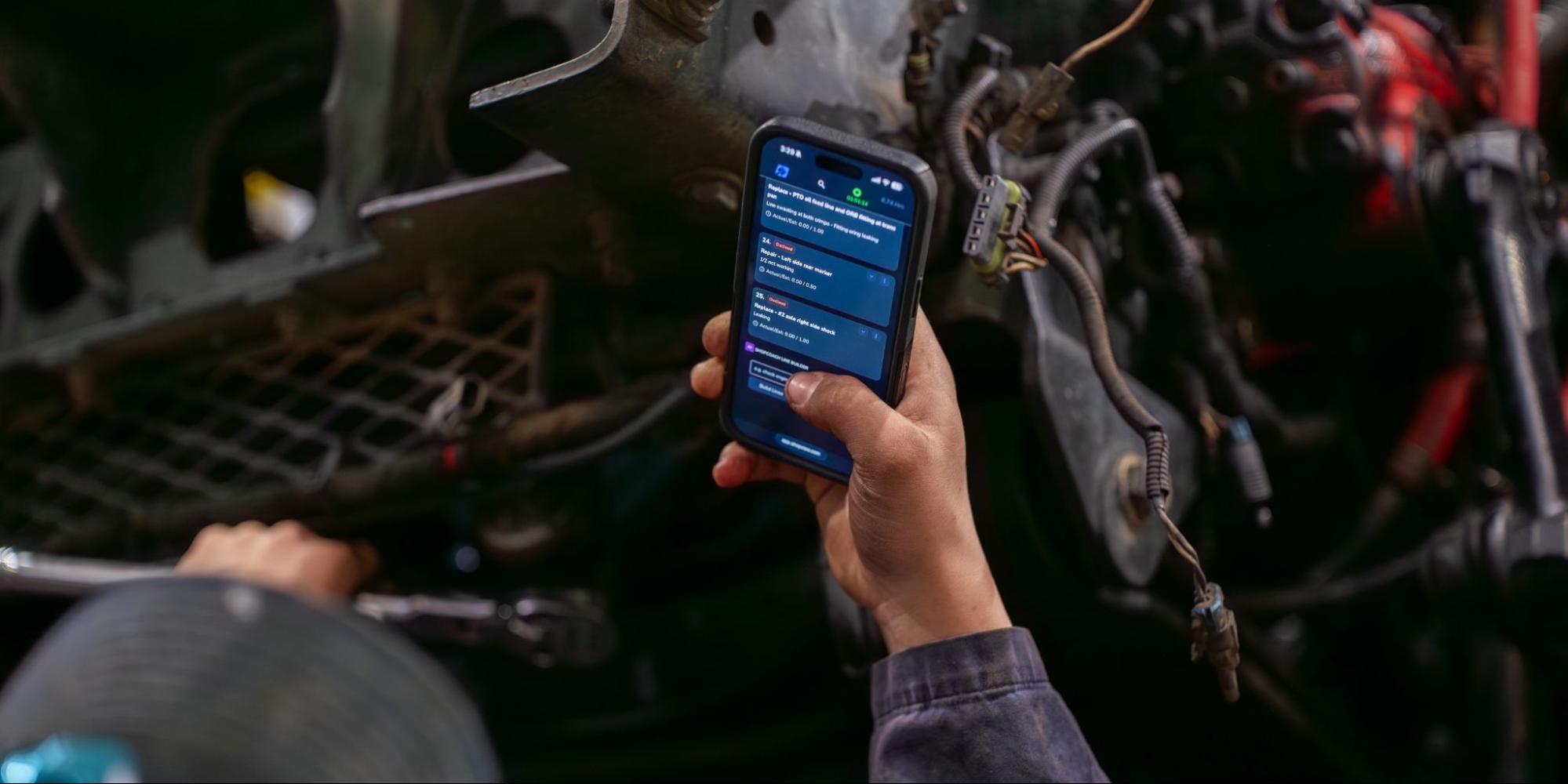
- Technicians update jobs at the vehicle, not at a desk
- Time, status, photos, and notes are captured as work happens
- Parts requests are logged directly from the job
- Managers see real-time status without chasing people
- Invoices are built from complete job records, not reconstructed later
In these shops, the system is not an admin tool. It is the fastest way to get the job done.
How Modern Systems Remove Admin Friction
Modern shop management platforms are built around one principle:
The easiest way to do the work should also be the way the system captures it.
That requires a few key capabilities.
1. Bay-Native Workflows
Technicians need to:
- Open work orders
- Clock in and out
- Update status
- Add photos and notes
from a phone or tablet in the bay.
No walking to terminals. No waiting for a shared computer.
2. Low Interaction Cost
Routine actions should take a few taps, not dozens.
When workflows are under 10 to 15 seconds, technicians use them in real time.
When they take 30 to 60 seconds, they get skipped.
3. Fast, Reliable Performance
If a system lags or drops updates, trust disappears quickly.
Shops need fast response times and reliable data capture, even in low Wi-Fi areas.
4. Minimal Typing, Glove-Friendly Design
Technicians work with gloves, grease, and noise.
Large tap targets, simple forms, and fast photo capture make a measurable difference in usability.
5. Invoice-Ready Work Orders
When time, parts, and notes are captured during the job, closeout becomes simple.
The invoice is already built.
No reconstruction. No chasing missing details.
ShopView's Approach to Admin Overhead
ShopView is designed around removing admin work from the shop floor.
Instead of adding layers of data entry, it focuses on speed-first workflows that match how technicians actually work.
With ShopView:
- Technicians can clock in, update tasks, and add photos directly from their device in the bay
- Work orders can be built out in under 2 minutes, providing a clear benchmark for workflow speed
- Managers get real-time visibility without chasing status updates
- Jobs move from intake to invoice without double entry or reconstruction
You can see how this fits into a typical workflow on the ShopView platform and in tools like work order management and repair scheduling.
The goal is simple:
Increase throughput without increasing admin overhead.
The Bottom Line
Admin overhead is not just a back-office issue.
It directly affects:
- Shop capacity
- Technician productivity
- Cycle time
- Billing speed
- Cash flow
In a market where technicians are hard to hire and downtime is expensive, removing friction from existing work is the fastest way to grow.
The shops that win are not the ones with the most features in their software.
They are the ones where the system is so fast and easy that technicians actually use it.
That is what turns software from an admin burden into a throughput tool.
See What Removing Admin Overhead Looks Like
If you want to see how much time your current system is adding to every work order, the fastest way is to test it.
Run a simple check:
- Time how long it takes a technician to open a job, log time, add a note, and update status in the bay
- Count the number of taps or clicks
- Check how complete the work order is at closeout
Then compare that to what a technician-first system can do.
If you are ready to see how a faster workflow looks in practice, you can explore ShopView or request a demo to test it in your own shop environment.
Ready to transform your shop?
We've been in the heavy-duty truck repair business for 20+ years, so we know what slows shops down. That's why we built ShopView—to eliminate the bottlenecks.