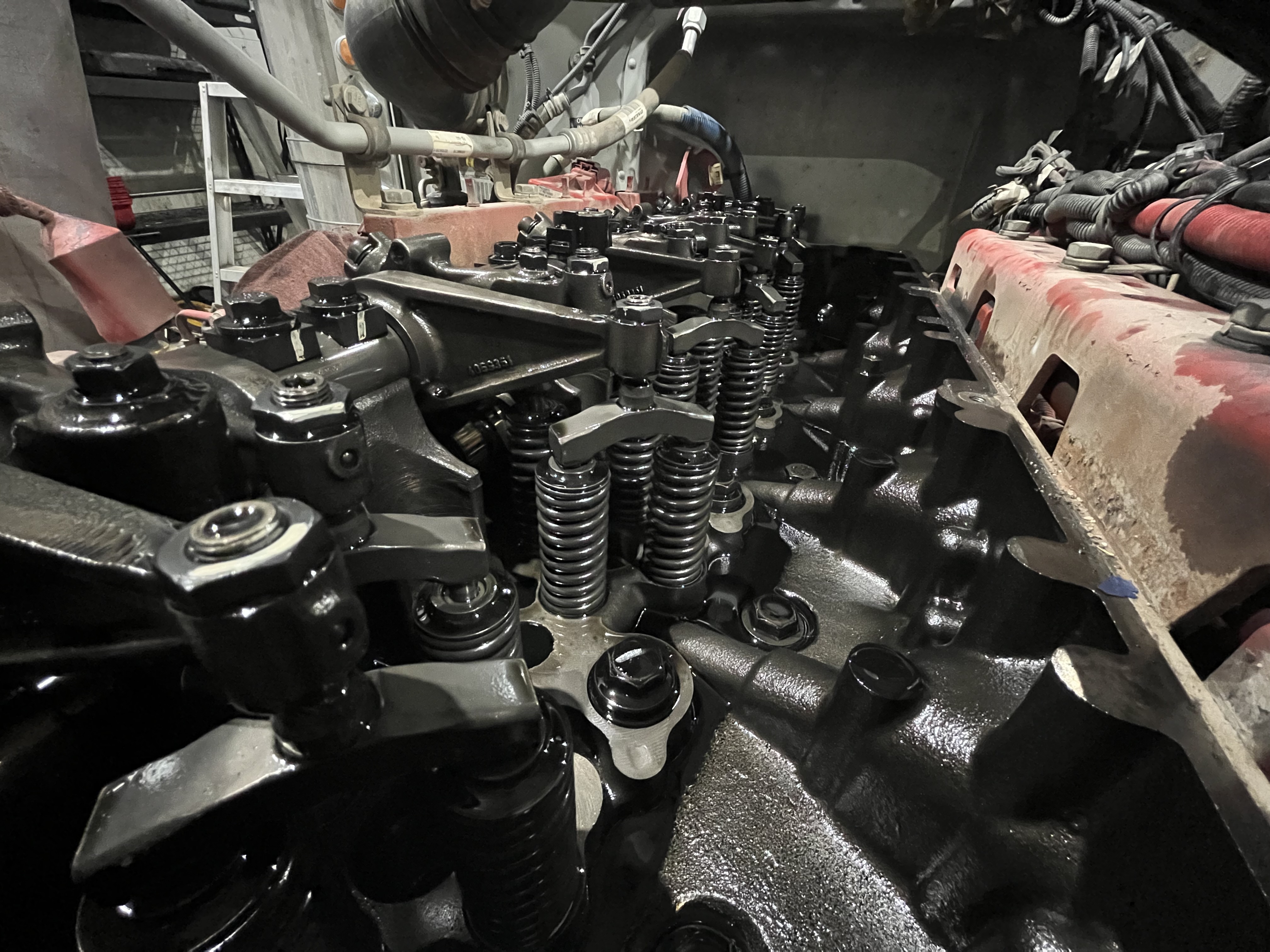
Diesel Repair Shop Management Software for a More Profitable Shop
ShopView helps diesel repair shops manage work orders, technician time, parts inventory, scheduling, invoicing, and reporting from one platform. Built for diesel, truck, fleet, and commercial vehicle repair teams that need faster workflows, cleaner job tracking, and more billable hours.
Start Free TrialManage Your Diesel Repair Shop in 30%+ Less Time
ShopView simplifies daily diesel repair operations, from service requests and work orders to technician productivity, parts tracking, billing, and reporting.
Effortless Service Requests
Create, assign, and manage diesel repair service requests quickly while keeping service managers, technicians, and customers aligned.
Real-Time Shop Monitoring
Track repair orders, technician activity, job status, and diesel shop performance without chasing updates across paper, texts, or spreadsheets.
Level Up Technician Productivity
Help technicians spend less time on admin work and more time completing repairs with clear job details, time tracking, and mobile-friendly workflows.
Fastest Work Order Build-Out in the Industry
Create detailed diesel repair work orders in seconds. ShopView helps service advisors and technicians document diagnostics, inspections, labor, parts, notes, and repair details without slowing down the job.
Instead of relying on paper forms or disconnected systems, your team can build accurate work orders that are easy to assign, update, track, and invoice. Whether the job involves engine diagnostics, emissions work, preventive maintenance, or commercial vehicle repair, ShopView keeps every detail organized from intake to payment.
Learn More About Our Work Order Features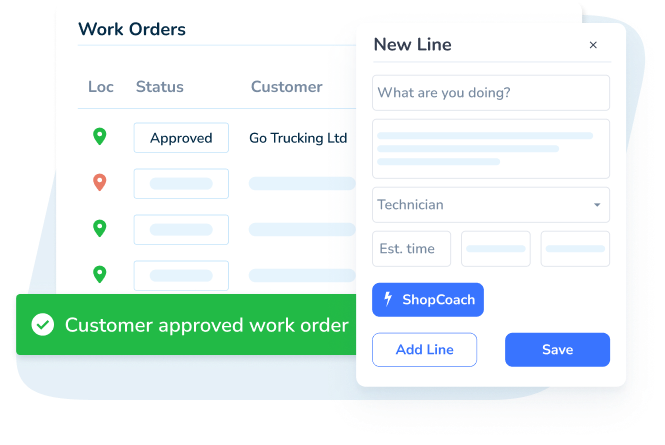
Simplified Inventory Management
Diesel repair shops depend on the right parts being available at the right time. ShopView helps your team track parts usage, monitor stock levels, manage ordering, and connect inventory directly to repair work orders.
From filters and sensors to injectors, turbochargers, cores, and shop supplies, ShopView gives diesel shops better visibility into what is on hand, what is being used, and what needs to be reordered.
Real-Time Parts Management
Track diesel parts inventory across repair jobs, technicians, vendors, and locations.
Automated Reordering
Reduce delays by staying ahead of commonly used diesel parts before stock runs low.
Comprehensive Reporting
Review parts usage, inventory costs, margins, and job-level profitability with clear reporting.
Create Happier Customers with Faster Repairs
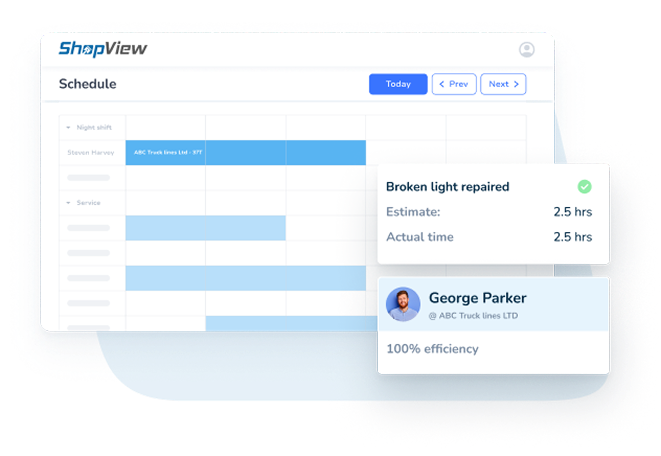
ShopView helps diesel repair shops improve turnaround times by giving every team member better visibility into the repair process. Service managers can see what is waiting on parts, what is assigned, what is in progress, and what is ready to invoice.
Customers stay better informed, technicians get clearer direction, and your shop can move more jobs through the workflow without adding more admin work.
Learn More About Our Uptime SolutionsFast Invoicing and Payments
Turn completed diesel repair work into accurate invoices faster. ShopView captures labor, parts, notes, fees, and job details throughout the repair process, so your team does not have to rebuild the invoice from scratch at the end.
With connected work orders and billing, diesel shops can reduce missed charges, speed up payment, and keep cash flow moving.
Quick Invoicing
Create detailed invoices directly from repair orders without duplicate data entry.
Accurate Billing
Capture labor hours, parts, shop supplies, taxes, and approved service details.
Seamless Integration
Connect accounting and payment workflows to reduce manual financial admin.
Become 20%+ More Profitable with In-Depth Reporting and Analytics
ShopView gives diesel shop owners and managers a clearer view of performance. Track technician productivity, job profitability, parts margins, billing activity, and repair workflow from one dashboard.
With better reporting, you can identify bottlenecks, recover lost billable time, and make smarter decisions about how your shop runs.
Detailed Reports
Monitor repair jobs, labor hours, parts usage, invoices, and overall shop performance.
Performance Analytics
Find operational bottlenecks and opportunities to improve profitability.
KPI Tracking
Track key metrics across technicians, jobs, customers, revenue, and shop efficiency.
Built By Heavy-Duty Shop Owners Who Know the Grind
ShopView was created by people who understand the realities of running a heavy-duty repair shop. Diesel shops deal with complex jobs, expensive parts, technician shortages, customer downtime, and constant pressure to keep work moving.
That is why ShopView is built around the way diesel, truck, fleet, and commercial vehicle repair shops actually operate. Your team gets one place to manage work orders, scheduling, parts inventory, technician time, invoicing, and reporting without adding more complexity.
"ShopView made our shops more productive and efficient and it will do the same for yours."
See How ShopView Helps Heavy-Duty ShopsWhy Choose ShopView?
Available on All Devices
Access ShopView from desktop, tablet, or phone so your team can manage jobs from the office, the bay, or the road.
Seamless Integration
Connect ShopView with accounting, payment, and shop workflows to reduce duplicate entry and keep information moving.
Comprehensive Support
Get support from a team that understands heavy-duty repair operations and the challenges diesel shops face every day.
The Complete Guide to Diesel Repair Shop Software
Running a profitable diesel repair shop takes more than skilled technicians. Your team needs a clear way to manage work orders, parts, labor, scheduling, customer communication, invoices, and reporting.
Modern diesel repair shop software gives shops one system for managing daily operations, reducing paperwork, improving technician productivity, and protecting revenue on every job.
Why Diesel Repairs Are Tough
Diesel shops handle complex repairs across heavy-duty trucks, commercial vehicles, fleets, buses, agricultural equipment, and construction machinery. These jobs often involve engine diagnostics, emissions systems, turbochargers, aftertreatment systems, heavy components, specialized parts, and strict documentation requirements.
When a commercial vehicle is down, customers lose time and money. That puts pressure on diesel repair shops to diagnose quickly, communicate clearly, complete work accurately, and invoice without delays.
Paper forms, spreadsheets, and disconnected systems make that harder. Important notes get missed, parts can be hard to track, technician time may go unbilled, and service managers lose visibility into what is happening across the shop.
What Is Diesel Repair Shop Software?
Diesel repair shop software helps repair businesses manage the core workflows involved in diesel, fleet, truck, and commercial vehicle service.
Instead of using separate tools for work orders, scheduling, inventory, labor tracking, estimates, invoices, and reporting, diesel shops can manage those workflows from one connected system.
A strong diesel mechanic shop software platform should help teams:
- Create and manage diesel repair work orders
- Track technician labor by job or task
- Manage parts inventory and ordering
- Schedule technicians, bays, and repairs
- Build estimates and invoices
- Track customer and unit service history
- Support mobile technicians and field repairs
- Review shop performance with reporting dashboards
For diesel shops, the goal is simple: fewer gaps, faster repairs, cleaner documentation, and more captured revenue.
Where Traditional Processes Fall Short
Many diesel repair shops still rely on paper, whiteboards, spreadsheets, texts, and memory to manage complex repair work. That may work for a small number of jobs, but it breaks down as volume grows.
Common problems include:
- Lost Billable Labor - Without technician time tracking, shops can lose labor hours that should have been billed to the job.
- Inventory Issues - Without real-time parts inventory management, teams may not know what is in stock, what has been used, or what needs to be reordered.
- Scheduling Conflicts - Without a clear schedule, service managers can overbook technicians, miss deadlines, or lose visibility into job priority.
- Cash Flow Delays - Manual invoicing slows down payment and increases the chance of missing labor, parts, or approved work.
- Disconnected Job Information - When notes, photos, parts, labor, and customer approvals live in different places, jobs take longer and mistakes are easier to make.
ShopView solves these problems by bringing diesel repair workflows into one platform built for heavy-duty shop operations.
Features That Keep Diesel Shops Running
The best diesel repair shop management software should support the full workflow from intake to invoice.
- Work Order Management - Create detailed work orders for diagnostics, inspections, preventive maintenance, engine repairs, emissions work, brake systems, driveline repairs, and more.
- Technician Time Tracking - Track labor hours against jobs so your shop can measure productivity and capture billable time more accurately.
- Parts Inventory Management - Monitor parts usage, stock levels, ordering, and job-level parts costs so repairs do not stall because something is missing.
- Scheduling and Dispatch - Manage technician availability, bay usage, deadlines, mobile repairs, and job priority from a clear schedule.
- Estimates and Invoicing - Turn approved work into invoices faster with labor, parts, notes, fees, and job details already connected.
- Mobile Access - Give technicians access to assigned work, notes, time tracking, and updates from tablets or phones.
- Reporting and Analytics - Track job profitability, technician productivity, parts margins, invoice activity, and overall shop performance.
Benefits & ROI You Can Measure
Diesel repair software should help your shop save time, capture more revenue, and operate with less chaos.
Shops that move from manual systems to a connected diesel repair platform can often improve:
- Billable labor capture
- Technician productivity
- Repair turnaround time
- Parts visibility
- Invoice accuracy
- Customer communication
- Shop reporting
- Cash flow
For many diesel shops, the biggest gains come from reducing the small leaks that happen every day: missed labor, delayed invoices, misplaced notes, parts confusion, and jobs sitting too long without clear ownership.
Real Stories from the Shop Floor
Heavy-duty repair shops use ShopView to reduce admin work, improve technician productivity, and run more profitable operations.
Foothills Group used ShopView to support major growth while improving service desk efficiency and technician productivity.
Truck and trailer repair teams use ShopView to move away from paper-based workflows, improve communication, and keep customers updated.
Diesel shops also use ShopView to reduce billing errors, improve parts visibility, and give technicians a faster way to document work.
Choosing the Right Diesel Software
When comparing diesel repair shop software, look for a platform built around heavy-duty workflows rather than generic automotive repair.
The right system should support:
- Diesel and commercial vehicle repair workflows
- Work orders and service history
- Technician time tracking
- Parts inventory management
- Scheduling and dispatch
- Estimates, invoices, and payments
- Fleet maintenance support
- Mobile diesel mechanic workflows
- Reporting and analytics
- Integrations with accounting and shop tools
- Responsive support from a team that understands repair operations
A diesel repair shop management tool should make the shop easier to run, not add more steps for your team.
Best Diesel Repair Shop Software: How to Choose the Right Platform
The best diesel repair shop software gives your team one place to manage the work that keeps the shop moving. It should help service managers stay organized, technicians document work faster, parts teams control inventory, and owners understand profitability.
Generic systems may cover basic scheduling or invoicing, but diesel shops need software that can handle complex jobs, heavy parts usage, fleet customers, mobile work, technician labor tracking, and detailed repair history.
ShopView is built for diesel, truck, fleet, and heavy-duty repair operations that need a practical system for managing work orders, technician time, parts, invoices, and reporting.
How to Roll It Out
A successful rollout starts with the workflows your shop already uses.
- Map your current process from intake to invoice.
- Identify where time, parts, labor, or information gets lost.
- Clean up customer, unit, technician, and parts data.
- Start with a small pilot team or repair bay.
- Train each role on the workflows they use most.
- Move more jobs into the system as the team gets comfortable.
- Use reports to measure billable labor, invoice speed, parts usage, and technician productivity.
The goal is not to change everything overnight. The goal is to give your team a better system for the work they are already doing.
Looking Ahead: Trends and Future Proofing
Diesel repair shops are under more pressure than ever to move faster, communicate better, and document work clearly. Fleet customers expect better visibility. Technicians expect easier tools. Owners need stronger reporting.
As diesel technology evolves, repair shops will need systems that can support more connected workflows, better maintenance tracking, mobile access, and clearer service history.
Shops that modernize their operations now will be better positioned to win fleet work, reduce admin load, and grow profitably.
Conclusion: A Better Way to Run Your Diesel Shop
Diesel repair is too complex for paper, spreadsheets, and disconnected tools. ShopView gives diesel repair shops one platform for work orders, technician time tracking, parts inventory, scheduling, invoicing, reporting, and customer communication.
With the right system in place, your team can move faster, reduce missed revenue, keep better records, and run a more profitable shop.
Frequently Asked Questions
Ready to Increase Your Shop's Revenue by 20%+?
Join diesel and heavy-duty repair shops using ShopView to streamline work orders, improve technician productivity, manage parts inventory, speed up invoicing, and grow revenue.