Where Diesel Shops Lose Billable Hours - and How to Capture Them
Most diesel shops do not lose revenue because of one big mistake.
They lose it in small pieces. Every day.
A technician starts work but does not clock in right away. A quick side task never gets tied to a work order. Parts get pulled and entered later, or never tied to the job. Notes and photos get added at the end of the day, from memory. Invoices get delayed while someone reconstructs the job.
Individually, each leak feels small. Collectively, they add up to lost billable hours, delayed invoices, and lower margin.
That is why a shop can feel busy - full bays, full schedule, full staff - and still underperform financially.
The core issue is not effort. It is workflow friction.
And in diesel operations, friction directly affects billable time capture.
Where Billable Time Gets Lost in Real Shops
Every job moves through the same basic work order lifecycle:
- Job intake and assignment
- Clock onto job and begin work
- Repair work and testing
- Interruptions, parts, approvals
- Closeout and invoice
Billable time is only captured when it is tied to that work order in real time.
Here is where it breaks down.
Where Revenue Leakage Happens in the Workflow
| Stage | Leakage Source | Impact | Fix |
|---|---|---|---|
| Job start | Tech delays clock-in | Missing labor time | One-tap clock-on in the bay |
| In-process work | Notes and photos captured later | Incomplete job record | Real-time capture on mobile |
| Parts usage | Parts entered after the fact | Missed or incorrect parts lines | Parts tied to WO at pull |
| Interruptions | Side tasks not logged | Lost micro-work time | Fast task switching on device |
| Status updates | Verbal updates instead of system | Poor visibility and delays | Simple in-flow status updates |
| Closeout | Office reconstructs job | Billing delays and errors | Invoice-ready work orders at completion |
This is not an accounting issue. It is an operational design issue.
When the system makes capture slow or inconvenient, the shop creates workarounds. And those workarounds are where revenue leaks.
Why Technicians Do Not Capture All Their Time
Technicians do not avoid time capture because they do not care about the business.
They avoid it because it slows down the job.
In the bay, ease of use has a very specific meaning:
- Can I do this without leaving the truck?
- Can I do it in seconds, not minutes?
- Can I do it with gloves on?
- Does it work when WiFi is weak?
If the answer is no, the technician will do what gets the job done faster. They will fix the truck first and update the system later. And "later" is where time disappears.
Research on system adoption consistently shows that perceived ease of use directly impacts actual usage. If it feels slow or complicated, it will not get used consistently.
Add in physical constraints like gloves reducing touch sensitivity, and the problem gets worse. Small buttons, lots of typing, or multi-step forms make time capture frustrating and easy to skip.
So technicians batch updates, estimate time at the end of the day, or skip small tasks entirely.
That is not a discipline problem. It is a system design problem.
The Cost of Missed Billable Hours
The real cost of missed time is not obvious until you quantify it.
Start with a simple scenario. If friction causes a technician to lose just 5 minutes per work order, what does that cost?
Minutes Lost Turn Into Real Revenue Loss
| Minutes Lost Per Job | Jobs Per Day | Weekly Hours Lost | Monthly Revenue Loss |
|---|---|---|---|
| 5 minutes | 3 jobs per tech | ~6.25 hours per tech | 6.25 × labor rate |
| 5 minutes | 5 jobs per tech | ~10.4 hours per tech | 10.4 × labor rate |
| 5 minutes | 8 jobs per tech | ~16.7 hours per tech | 16.7 × labor rate |
Now scale that across your shop.
A 10-tech shop losing 10 hours per tech per month is losing 100 billable hours. At a $120 effective labor rate, that is $12,000 per month in missed revenue.
And that assumes only 5 minutes per job. In reality, the leakage often includes:
- Missed micro tasks
- Missed parts lines
- Delayed billing cycles
- Time rounding or estimation
Those losses compound quickly.
The "Busy but Not Profitable" Trap
This is the trap many diesel shops fall into.
The shop is busy. The team is working hard. Bays are full.
But at the end of the month:
- Labor utilization is lower than expected
- Invoice totals are lower than expected
- Admin staff is overwhelmed with cleanup work
- Cash flow lags behind workload
Why? Because the system does not capture work as it happens.
Instead, the shop reconstructs work after the fact.
That reconstruction introduces:
- Missed time
- Missed parts
- Billing delays
- Disputes and corrections
The shop is busy, but the system is not turning that activity into revenue efficiently.
How Legacy Software Causes Revenue Leakage
Most legacy diesel shop systems were built for office workflows, not bay workflows.
They assume:
- A technician logs into a shared terminal
- Navigates through multiple screens
- Fills out structured forms
- Enters notes and parts after the work is complete
That creates friction at every step.
When a simple action like clocking onto a job or adding a part line takes 15 to 20 clicks and multiple seconds of waiting, technicians avoid doing it in real time.
Usability research shows that even small delays over one second start to feel sluggish, and multi-step workflows quickly add up to 30 to 70 seconds per interaction.
In a busy shop, that is enough to break flow and push time capture to "later."
Legacy systems also often require:
- Duplicate entry between parts and service
- Manual reconciliation before billing
- Spreadsheet cleanup before invoicing
All of that shifts work from the bay to the office and creates more opportunities for revenue leakage.
The Growth Constraint: You Cannot Hire Your Way Out
The diesel labor market is tight.
The U.S. Bureau of Labor Statistics projects about 26,500 openings per year for diesel technicians, most driven by replacement needs, not growth.
TechForce Foundation projects nearly 1 million new-entry technicians will be needed over five years across transportation sectors.
That means capacity is hard to expand by hiring alone.
So growth has to come from better utilization of existing labor. That starts with capturing every billable minute already being worked.
What High-Performing Shops Do Differently
High-performing diesel operations do not rely on perfect discipline.
They rely on systems that make the right behavior the easiest behavior.
They design workflows so that:
- Time is captured in real time in the bay
- Parts are tied to jobs at the moment they are pulled
- Status updates are fast and visible
- Closeout produces an invoice-ready record
They remove friction from the technician workflow instead of adding steps to the office workflow.
That is how they increase labor utilization without increasing headcount.
How Modern Diesel Shop Management Software Captures More Revenue
Modern diesel shop management software is built around the reality of the bay.
Key differences include:
Bay-First Workflows
Technicians can open work orders, clock onto jobs, add notes, and capture photos directly at the vehicle using mobile or tablet devices.
Low-Click, Fast Interactions
Core actions like clocking onto a job, adding a part, or updating status are designed to take seconds, not minutes.
Real-Time Parts and Labor Capture
Parts and labor are tied to the job as they happen, reducing missed lines and eliminating end-of-day reconstruction.
Immediate Visibility for Service and Parts
Service managers and parts teams see real-time job status and needs, reducing delays and improving throughput.
Invoice-Ready Work Orders
Jobs are ready for billing as soon as work is complete, reducing billing lag and improving cash flow.
Where ShopView Fits
ShopView is designed specifically for heavy-duty diesel repair and fleet maintenance operations, with a focus on speed and technician-first workflows.
Instead of forcing technicians to work around the system, ShopView is built so the fastest way to do the job is also the correct way to capture it.
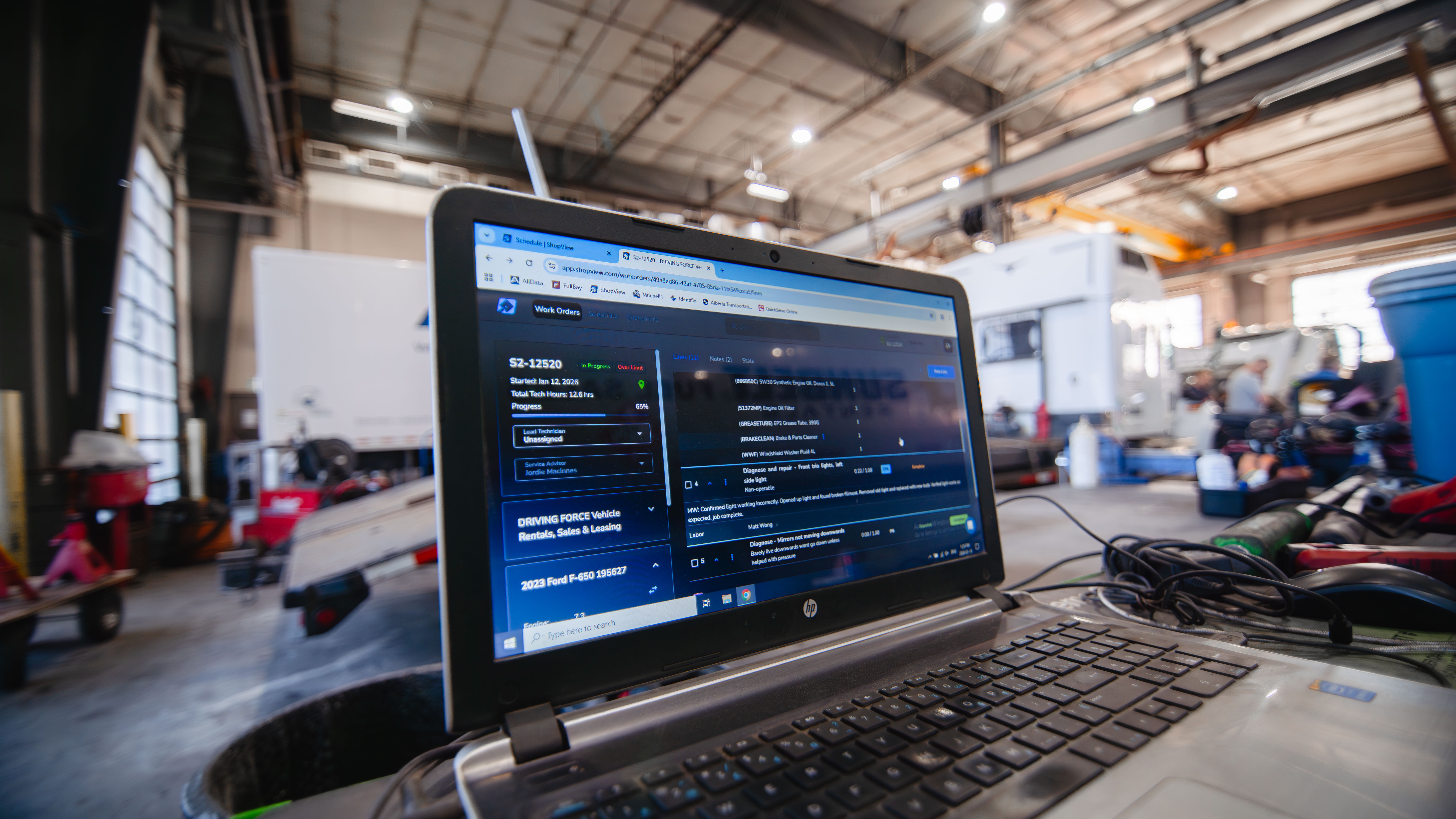
You can see how that works in practice on the ShopView platform:
- Work order workflows designed for in-bay use on mobile and tablet
- Real-time job visibility and customer communication through the portal
- Scheduling tools that keep bays moving without delays
Because time, parts, and notes are captured as the work happens, ShopView helps ensure that the work your team already performs actually shows up on the invoice.
That is the difference between a busy shop and a profitable one.
Ready to Stop Losing Billable Hours?
If your shop is busy but your numbers do not reflect the workload, the issue is likely not effort. It is capture.
The fastest way to see the impact is to test your current workflow against a technician-first system.
Take a real job in your busiest bay and measure how long it takes to:
- Clock onto the job
- Add a note and photo
- Add a part
- Update status
- Close the job invoice-ready
Then compare that to a modern workflow in ShopView.
If you want to see what capturing every billable minute looks like in practice, book a demo or start a trial with ShopView.
Ready to transform your shop?
We've been in the heavy-duty truck repair business for 20+ years, so we know what slows shops down. That's why we built ShopView—to eliminate the bottlenecks.