Parts inventory can either keep a truck repair shop moving or quietly slow the entire operation down.
When the right parts are available, technicians stay productive, bays keep turning, work orders close faster, and invoices go out with fewer missed charges. But when inventory is disorganized, everything gets harder.
A technician starts a repair and realizes the part is missing. A service advisor thinks a fitting is in stock, but it was already used on another work order. A special-order part arrives, but nobody knows which truck it belongs to. A common filter runs out unexpectedly. A brake component gets installed but never makes it onto the invoice.
In a heavy-duty repair shop, parts inventory is not just a parts-room issue. It affects technician productivity, bay utilization, repair turnaround time, customer communication, estimate accuracy, invoice accuracy, and cash flow.
That is why truck repair shop parts inventory management matters so much.
The goal is not to stock every possible part. The goal is to know what you have, where it is, what job it belongs to, when to reorder it, and whether it made it onto the invoice.
Why Parts Inventory Breaks Down in Truck Repair Shops
Heavy-duty and diesel repair shops deal with more inventory complexity than most automotive shops.
A typical truck repair shop may carry inventory for diesel engines, brakes, suspension systems, air systems, aftertreatment systems, electrical systems, trailers, hydraulic components, fleet maintenance, and roadside service.
That means the stockroom may include filters, fittings, hoses, belts, clamps, brake hardware, valves, fluids, sensors, wheel-end parts, lighting components, DEF-related parts, and customer-specific fleet inventory.
Inventory problems usually begin when there is no consistent process for:
- receiving parts
- assigning bin locations
- separating stock parts from job-specific parts
- issuing parts to work orders
- staging parts before repairs
- tracking backorders
- setting reorder points
- handling cores and warranty holds
- cycle counting inventory
- matching parts to invoices
Once the process breaks down, inventory data becomes unreliable. And once technicians and advisors stop trusting inventory data, everyone starts working around the system.
That is when duplicate orders, stockouts, parts delays, missed charges, and invoice mistakes become normal.
The Real Goal of Inventory Management
Good diesel shop inventory management comes down to one simple goal:
Have the right part, in the right place, at the right time.
That sounds simple, but it requires discipline.
A truck repair shop should always know:
- what parts are in stock
- where parts are located
- which parts are tied to open work orders
- which parts are ordered but not received
- which parts are backordered
- which parts are staged for jobs
- which parts need to be reordered
- which parts were installed but not billed
A shelf full of parts is not inventory control.
Inventory control means the parts room, technicians, work orders, purchase orders, vendors, and invoices all stay connected.
Start With a Clean Parts Master
Before a shop can improve inventory control, it needs a clean parts master.
Every active part should have consistent information attached to it, including:
- internal part number
- vendor part number
- clear description
- category
- preferred vendor
- standard cost
- sell price or markup
- quantity on hand
- reorder point
- bin location
- stock or non-stock status
Messy part records create messy operations.
For example, if the same fitting exists in the system under three different names, the shop may reorder inventory that already exists on the shelf.
Clean data prevents duplicate orders and makes inventory easier to trust.
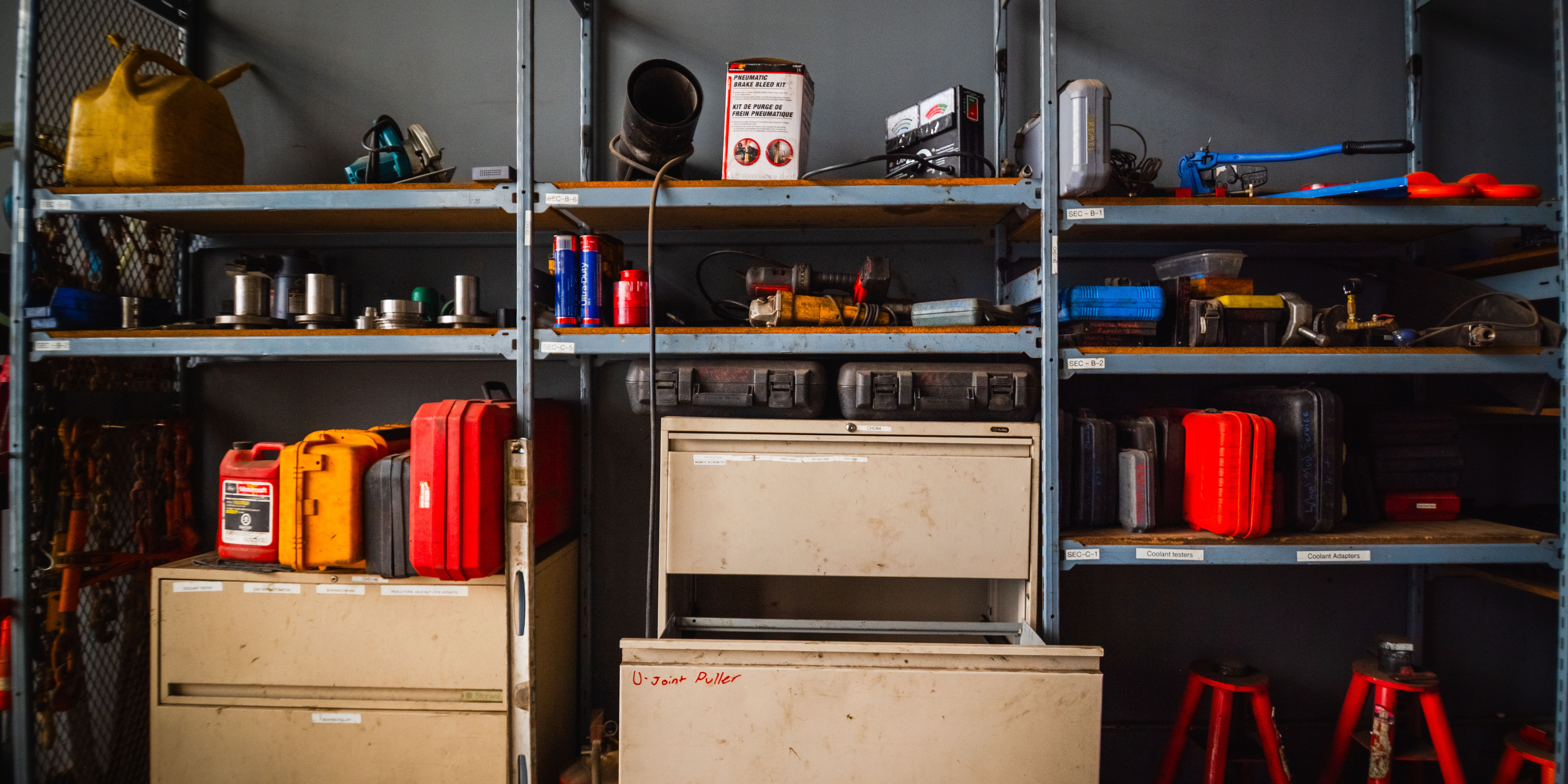
Organize the Parts Room Properly
Truck repair shop stockroom organization has a direct impact on productivity.
Most heavy-duty repair shops work best when inventory is organized by category, such as:
- preventive maintenance parts
- brake components
- suspension parts
- air system parts
- electrical
- engine components
- trailer parts
- shop supplies
- cores
- warranty holds
- special-order inventory
It also helps to create separate control zones inside the stockroom.
For example:
- fast-moving parts near the counter
- a dedicated staging area for active jobs
- a separate dirty core section
- a warranty hold area
- locked storage for expensive components
- a returns section
The goal is simple: reduce search time and prevent parts from disappearing into the wrong jobs.
If technicians spend several minutes searching for parts multiple times per day, that lost time becomes a serious productivity issue.
Label Every Shelf and Bin
Good inventory depends on good locations.
Every stocked part should have a clearly labeled home.
A simple location format may look like:
- A-01-02
- BRK-04
- PM-02
- ELEC-07
The exact format matters less than consistency.
Anyone in the shop should be able to find a part without asking three different people where it belongs.
Clear labeling improves inventory accuracy, speeds up cycle counts, and helps new employees follow the process faster.
Separate Stock Parts From Job-Specific Parts
Not every part should be managed the same way.
Truck repair shops usually deal with two inventory types:
- Stock parts
- Job-specific parts
Stock parts are common items the shop uses regularly, including filters, fittings, belts, bulbs, fluids, clamps, hoses, and brake hardware.
Job-specific parts are ordered for a specific work order, fleet customer, or repair.
If job-specific parts get mixed into general inventory, someone may accidentally install them on the wrong truck. Then the original repair gets delayed, the part gets reordered, and the customer waits longer.
A better process is to stage job-specific parts separately and clearly label them with:
- work order number
- customer
- unit number
- technician
- quantity
- date received
This keeps repairs organized and reduces confusion.
Receive Parts Correctly
Receiving is where inventory accuracy begins.
Before a part goes on the shelf, the shop should verify:
- purchase order number
- vendor
- part number
- quantity
- cost
- core charge
- damage condition
- work order assignment if job-specific
A strong receiving workflow looks like this:
- Match the packing slip to the purchase order.
- Confirm quantity and part numbers.
- Inspect for damage or incorrect parts.
- Assign a bin location or staging area.
- Update the inventory system.
- Attach the part to the work order if needed.
When receiving is inconsistent, inventory quickly becomes unreliable.
That creates incorrect counts, duplicate orders, missing parts, and invoice mistakes.
Stage Parts Before Repairs Begin
Parts staging is one of the easiest ways to improve bay efficiency.
Instead of assigning a technician to a repair and discovering missing parts halfway through the job, shops should verify parts readiness before work begins whenever possible.
This is especially important for:
- PM services
- brake jobs
- DOT inspections
- scheduled fleet maintenance
- trailer repairs
- large multi-part repairs
A strong staging process reduces downtime and keeps technicians productive.
It also improves customer communication because service advisors know exactly which jobs are ready and which repairs are still waiting on parts.
Issue Parts to the Work Order Before Installation
A part should never leave the shelf without being connected to a work order.
Every issued part should be tied to:
- work order
- customer
- unit
- technician
- quantity
- sell price
- invoice status
This is one of the biggest areas where repair shops lose money.
A technician pulls a part, installs it, completes the repair, and moves on. Later, the invoice gets built manually and the part never gets billed.
That hurts both inventory accuracy and profit margins.
A simple rule solves this problem:
Issue the part to the work order before handing it to the technician.
This protects billing accuracy and helps shops understand true job profitability.
Track Ordered and Backordered Parts Clearly
An ordered part is not the same as an available part.
Repair shop backorder management requires clear statuses for inventory and purchase orders.
Simple statuses work best:
- Needed
- Ordered
- Backordered
- Partial received
- Received
- Staged
- Issued
- Installed
- Returned
This helps advisors communicate clearly with customers and helps managers understand which jobs are truly ready.
Backorder tracking also exposes vendor problems. If one supplier repeatedly misses ETAs or ships incorrect parts, the shop should know immediately.
Use Reorder Points for Fast-Moving Parts
Repair shop reorder points help prevent stockouts without overloading shelves with excess inventory.
Fast-moving items like filters, fittings, brake hardware, fluids, belts, hoses, bulbs, and shop supplies should all have reorder points.
Without reorder rules, most shops reorder based on memory or wait until shelves are nearly empty.
That creates unnecessary downtime.
Good reorder planning should consider:
- average usage
- vendor lead time
- safety stock
The goal is to stop common parts from running out unexpectedly.
Use Cycle Counts Instead of Annual Counts
A single yearly inventory count is not enough for a busy truck repair shop.
By the time annual inventory happens, the system may have been inaccurate for months.
Cycle counts for repair shops work much better.
Instead of counting the entire stockroom at once, count smaller inventory groups regularly.
For example:
- Monday: filters
- Tuesday: brake parts
- Wednesday: electrical
- Thursday: fittings
- Friday: staged parts and returns
Cycle counting helps shops catch problems early before they become major inventory issues.
Match Parts to Work Orders and Invoices
Inventory management is not complete until the invoice is accurate.
Before closing a work order, shops should review:
- installed parts
- returned parts
- core charges
- freight
- shop supplies
- special-order parts
- warranty items
This is where inventory control becomes revenue control.
If a part was installed but never billed, profit disappears.
A simple rule helps prevent missed revenue:
If it went on the truck, it should be reviewed before the invoice goes out.
Signs Your Shop Has Outgrown Spreadsheets
Spreadsheets may work for very small operations, but they become difficult to trust as a shop grows.
Signs your shop has outgrown spreadsheets include:
- inventory counts are frequently wrong
- parts are ordered twice
- common parts run out unexpectedly
- job-specific parts disappear
- technicians cannot find inventory
- invoices require manual cleanup
- backorders are unclear
- managers cannot see what is in stock, staged, or ordered
At that point, the issue is no longer just inventory.
The issue is disconnected workflow.
How Parts Inventory Software Helps Repair Shops
Parts inventory software for repair shops helps connect inventory to the rest of the operation.
A strong truck parts inventory system should help shops:
- track quantity on hand
- assign bin locations
- connect parts to work orders
- manage backorders
- set reorder points
- run cycle counts
- stage parts for jobs
- track cores and warranty holds
- review parts before invoicing
The biggest advantage is visibility and connection.
Parts should not live in a disconnected spreadsheet separate from work orders, technicians, invoices, and reporting.
When inventory stays connected to the repair workflow, shops reduce missed parts, delayed jobs, and billing mistakes.
Final Thoughts
Managing parts inventory in a truck repair shop is not just about counting shelves. It is about keeping work moving.
When inventory is organized, technicians spend less time searching for parts. When parts are tied to work orders, invoices become more accurate. When reorder points are set, common inventory is less likely to run out. When job-specific parts are staged properly, bays move faster and customers experience fewer delays.
The best heavy-duty repair shop inventory management systems treat inventory as part of the repair workflow.
Parts, labor, work orders, scheduling, purchase orders, vendors, and invoicing all need to stay connected.
If your shop is still relying on spreadsheets, handwritten notes, or memory, the next step is to build a system that shows what parts you have, where they are, what job they belong to, and when they need to be reordered.
ShopView helps heavy-duty repair shops manage inventory, connect parts to work orders, track technician time, and turn completed jobs into accurate invoices faster. Schedule a demo today.
Ready to transform your shop?
We've been in the heavy-duty truck repair business for 20+ years, so we know what slows shops down. That's why we built ShopView—to eliminate the bottlenecks.