A repair job is not truly finished when the technician turns the wrench for the last time. It is finished when the invoice is accurate, sent, approved, and paid.
For many heavy-duty and diesel repair shops, this is where cash flow gets stuck. The truck may be repaired, the technician may have moved on, and the customer may be ready to pick up the unit. But the invoice is still waiting because labor needs to be reviewed, parts need to be checked, approvals need to be confirmed, and someone in the office has to piece everything together.
Slow invoicing creates real problems: delayed cash flow, missed labor, missed parts, customer disputes, rejected fleet invoices, higher accounts receivable, and more completed jobs sitting unbilled.
In a diesel, truck, fleet, or heavy-duty repair shop, invoicing is not just an accounting task. It is the final step in the repair workflow. If the workflow is messy, the invoice will be slow.
Why Repair Shop Invoicing Gets Delayed
Most shops do not delay invoices on purpose. Invoices usually get delayed because the information needed to bill the job is scattered.
A completed repair order may still be missing technician time, labor notes, parts used, customer approvals, fleet authorization numbers, purchase order numbers, core charges, warranty details, sublet charges, taxes, fees, or final inspection notes.
When the invoice cannot be created directly from the work order, someone has to rebuild the job manually. That is where delays happen.
The service advisor may need to ask the technician what happened. The parts team may need to confirm which parts were installed. The manager may need to approve additional labor. The office may need to enter the invoice again into accounting software.
The result is a job that is physically complete but financially incomplete.
Move From Work Order to Invoice Faster
The goal is not just to send invoices faster. The real goal is to make the invoice nearly ready by the time the job is done.
That means the work order should already include customer information, unit details, approved labor, technician time, parts used, sublet charges, diagnostic findings, customer approvals, final verification, payment terms, and invoice-ready totals.
When the work order is complete, repair shop invoicing becomes much easier. The service advisor should not have to reconstruct the job from scratch.
A strong work-order-to-invoice process looks like this: the work order is created, labor is estimated and approved, technician time is tracked during the job, parts are issued to the work order, notes are added while the work is fresh, approvals are documented, the job is reviewed, and the invoice is generated from the work order.
The faster that flow happens, the faster the shop gets paid.
Why Heavy-Duty Repair Shop Invoicing Is More Complex
Heavy-duty repair invoicing is usually more complex than general automotive invoicing.
A diesel repair invoice may involve a fleet customer, unit number, VIN, multiple technicians, diagnostic time, additional approvals, special-order parts, sublet work, mobile service, core charges, warranty holds, inspection documentation, fleet portal submission, purchase order numbers, and net payment terms.
That complexity creates more opportunities for delay. If one required detail is missing, the invoice may not go out. If the invoice goes out with missing details, the customer may dispute it or reject it.
For fleet repair invoicing, missing a PO number, authorization number, unit number, or labor breakdown can delay payment immediately.
That is why heavy-duty shops need a stronger invoice closeout process. Fast invoicing is not about rushing. It is about making sure the job is invoice-ready before it reaches the billing desk.
What Slow Invoicing Costs a Repair Shop
Slow invoicing directly affects cash flow.
For example, if a shop completes $8,000 of repair work per day and invoices are delayed by five days, that can mean $40,000 of completed work is sitting uninvoiced.
That is not a sales problem. It is a workflow problem.
Slow invoicing can also create hidden revenue loss. The longer a completed job sits before billing, the more likely the shop is to miss diagnostic labor, extra technician time, parts installed, shop supplies, freight, sublet charges, core charges, or approved additional work.
The best shops do not wait days to figure out what happened on a job. They review labor, parts, approvals, and notes while the job is still fresh.
Common Reasons Repair Shop Invoices Get Stuck
One common issue is vague technician notes. A note like “fixed air leak” does not give the advisor enough detail to explain the work. A better note explains what was inspected, what was found, what was repaired, and how the repair was verified.
Another common issue is labor that is not reviewed before closeout. Technician time may be written on paper, tracked in a separate system, or remembered after the fact. This creates gaps between the work performed and the labor billed.
Parts can also cause delays. A technician may pull a part, install it, and complete the job, but if that part was never issued to the work order, the invoice may miss it. That hurts both revenue and inventory accuracy.
Customer approvals are another major factor. If additional work was approved but not documented, the office may hesitate to bill the full amount. A strong approval record should show who approved the work, when they approved it, what was approved, how much was approved, and the method of approval.
Fleet invoices create even more pressure because they often require specific details before payment can move forward. Missing unit numbers, VINs, PO numbers, authorization numbers, inspection notes, or labor breakdowns can lead to rejected invoices.
How to Speed Up Repair Shop Invoicing
Fast invoicing starts with a complete work order.
Before the job begins, the work order should include the customer name, contact information, unit number, VIN or asset ID, mileage or hours, complaint, requested service, estimated labor, estimated parts, assigned technician, authorization status, PO number if required, fleet billing requirements, and payment terms.
The work order is the foundation of the invoice. If the foundation is weak, the office has to clean it up later.
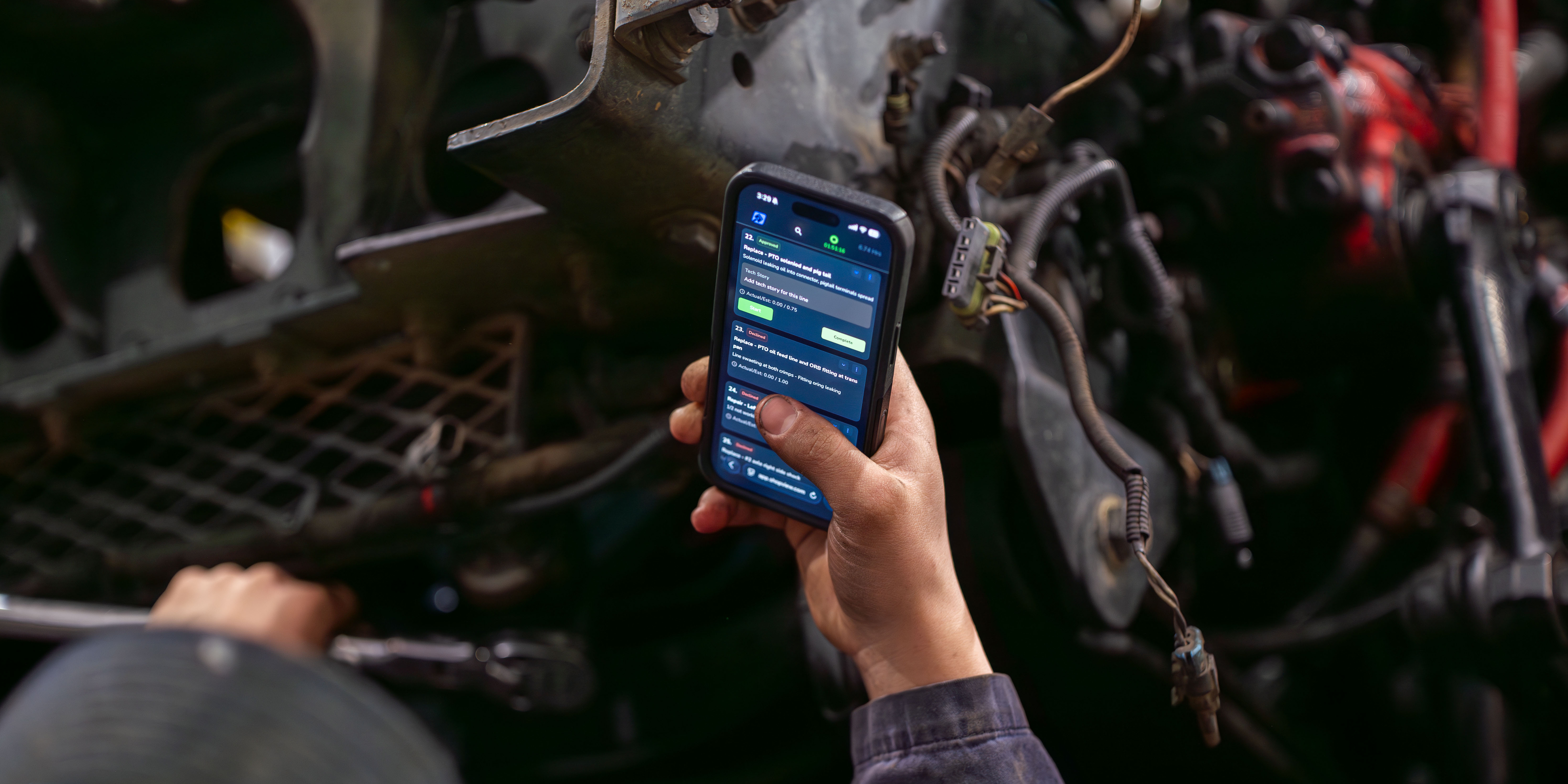
Technician time should also be tracked by work order and labor line. Clocking in for the day is not enough. The shop needs to know how much time went into each job, which technician performed the work, what was billable, and what notes support the labor.
Parts should be connected to the work order as soon as they are pulled, ordered, received, installed, returned, or warrantied. This helps the invoice capture part numbers, descriptions, quantities, costs, sell prices, core charges, freight, and warranty status.
Approvals should be documented in real time. Whenever a customer approves labor, parts, diagnostics, or additional work, that approval should be recorded directly on the work order.
Before the invoice is sent, the shop should complete a closeout review. This review should confirm that technician time is captured, labor lines are correct, parts are billed, unused parts are removed, approvals are documented, sublets are added, warranty details are included, and technician notes are clear.
Once the job is reviewed, the invoice should be sent quickly. Every day an invoice waits is another day the shop is not getting paid.
Make Payment Easy
Getting paid faster is not only about sending invoices faster. It is also about making payment easier.
Invoices should clearly show the total amount due, due date, accepted payment methods, payment link if available, account terms, purchase order number, unit number, work order number, and remittance instructions.
The harder it is for a customer to pay, the longer payment takes. For owner-operators and smaller customers, online payment links can reduce friction. For fleet accounts, clean invoice details help invoices move through internal approval faster.
Track Completed but Uninvoiced Jobs
Completed but uninvoiced work is one of the most important things a repair shop can track.
These are jobs that are already finished but have not yet been billed. That means revenue is sitting in limbo.
Shops should review completed but uninvoiced jobs daily and identify why each one is stuck. The issue may be missing labor, missing parts, missing approvals, sublet charges, warranty decisions, or accounting delays.
If no one owns this backlog, invoices sit and cash flow slows down.
How Repair Shop Invoicing Software Helps
A shop can improve invoicing with better processes alone, but as the business grows, manual invoicing becomes harder to control.
Repair shop invoicing software helps connect estimates, work orders, labor lines, technician time, parts, purchase orders, approvals, sublets, cores, warranty notes, invoices, payments, accounting, and reports.
The biggest advantage is fewer gaps. When technician time, parts, approvals, and notes are already connected to the work order, invoicing becomes faster and more accurate.
Heavy-duty shop management software helps shops move from completed work to sent invoices without rebuilding the job manually.
Final Thoughts
Fast invoicing is not just an office function. It is the result of a clean repair shop workflow.
If technician time is tracked properly, parts are tied to work orders, approvals are documented, notes are clear, sublets are posted, and closeout happens daily, invoices can go out faster with fewer mistakes.
That means the shop can get paid faster without rushing the repair or cutting corners.
The goal is simple: turn completed work into accurate invoices as quickly as possible.
If your shop is still building invoices from paper work orders, spreadsheets, handwritten notes, or memory, the next step is to connect work orders, labor, parts, approvals, and invoicing in one workflow.
ShopView helps heavy-duty repair shops manage work orders, track technician time, connect parts to invoices, and get paid faster. Schedule a demo today.
Ready to transform your shop?
We've been in the heavy-duty truck repair business for 20+ years, so we know what slows shops down. That's why we built ShopView—to eliminate the bottlenecks.