Service Manager Software That Keeps Every Job Moving, Every Shift
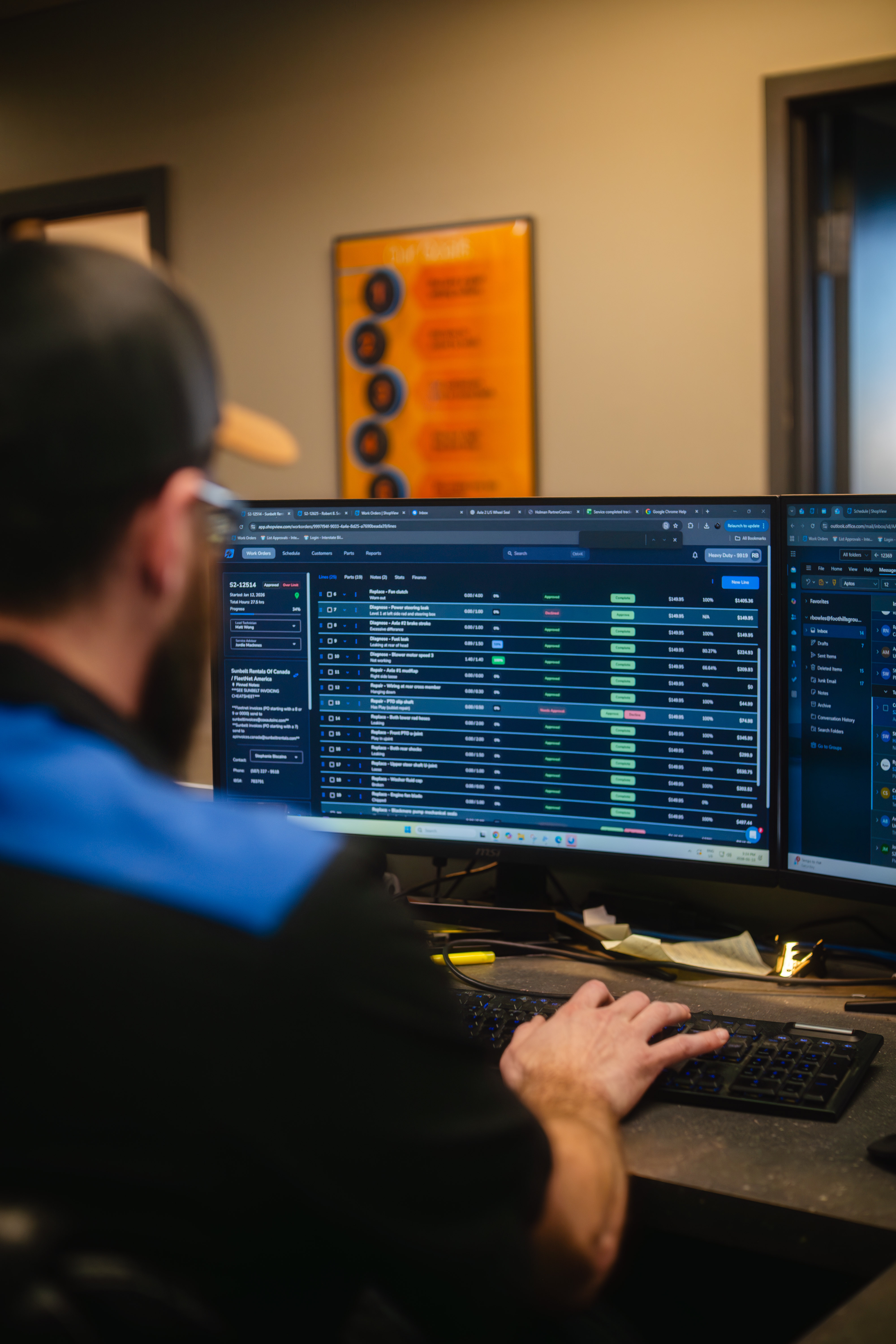
ShopView gives heavy-duty service managers a live view of every repair order, every technician, and every job in progress - so you can assign work, track progress, catch bottlenecks, and keep the shop moving without chasing updates all day.
Faster shop operations
Saved per technician per day
More billable hours captured
Trusted by Service Teams at Leading Heavy-Duty Repair Shops
Service managers at diesel, truck, trailer, fleet, and heavy equipment repair shops use ShopView to keep jobs organized, technicians accountable, and customers informed - without the back-and-forth that slows every shift down.





Stop Being the Person Who Has to Know Everything
A service manager's day should not be spent walking the shop floor asking what stage each job is at, texting technicians for updates, or rebuilding job notes because nothing was written down. But that is exactly what happens when your shop runs on paper tickets, whiteboards, and group chats.
ShopView gives you one place to see every open job, every technician's status, every parts hold, every approval waiting, and every invoice ready to go - without leaving your desk or picking up your phone. When something needs attention, you see it before it becomes a delay.
The Tools Service Managers Actually Need
Full Shop Visibility From One Screen
ShopView's job board gives service managers a real-time view of every repair order in the shop. See what is waiting to be assigned, what is in progress, what is waiting on parts or approval, and what is ready to invoice - without walking the bays or sending messages. When a technician finishes a task, updates the job, or flags a problem, you see it immediately. That means faster decisions, fewer delays, and less time spent figuring out where things stand.
- Live job board showing every work order and its current status
- Filter by technician, bay, job type, priority, or customer
- See what is waiting on parts, approval, or technician assignment
- Get notified when jobs stall, deadlines approach, or approvals come in
- Track repair progress from intake to invoice-ready in one view
Assign Work and Manage Technician Schedules Without Guesswork
Knowing who is available, what they are working on, and how long it is going to take is the difference between a shop that hums and one that stacks up. ShopView's scheduling tools give service managers a clear picture of technician workload so you can assign jobs intelligently - not just to whoever is nearest. When a rush job comes in or a technician finishes early, you can adjust assignments on the fly without disrupting the rest of the schedule. Technicians get notified immediately on their device, and the job board updates instantly.
- Assign jobs to technicians based on skill, availability, and workload
- Drag-and-drop scheduling built for heavy-duty repair workflows
- Balance bay usage and technician capacity across the shift
- Manage mobile repair teams and field technicians from the same view
- Technicians receive job assignments instantly on their tablet or phone
Build Work Orders in Minutes, Not Half an Hour
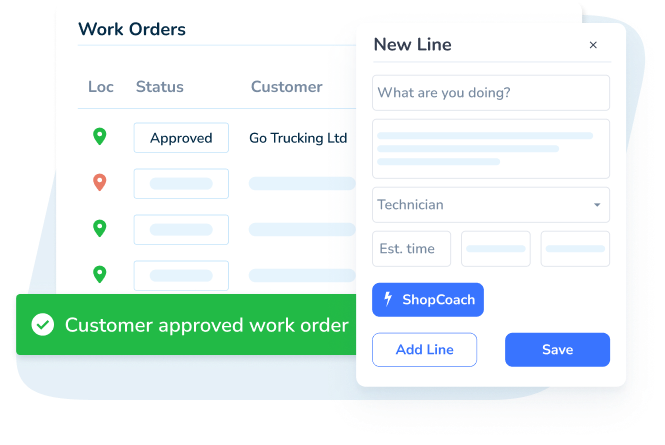
Every minute a service manager spends building a work order is a minute not spent keeping the shop moving. ShopView helps service advisors create detailed repair orders - with customer info, unit details, labor, parts, notes, and technician assignments - in under two minutes. No re-entering the same information. No hunting for a customer record. No separate system for estimates and another for work orders. Everything is in one place, connected from the first intake to the final invoice.
- Create estimates and work orders in under 2 minutes
- Pull customer history, unit details, and prior service records instantly
- Add labor, parts, photos, notes, and technician assignments in one workflow
- Convert approved estimates to work orders with one click
- Track approval status so you know what can move forward and what cannot
What Service Managers and Advisors Are Saying
"ShopView is always ready for you. Whether you need to work on orders in the middle of the night or do an inventory recount during closed hours, it does not matter. It just works, it does exactly what you want to do, exactly when you want to do it."
Shannon W.
Service Advisor, Automotive

"ShopView is the most user friendly platform I have utilized in a very long time. Their onboarding team was in touch throughout the entire process. This platform is going to streamline countless processes and increase our productivity tenfold."
Kylie M.
Office Manager, Construction
"Everything is so fast and user-friendly. I can get to almost anything within two clicks. Their support team is amazing - they respond quickly and genuinely care about helping. I also love that they listen to feedback and keep improving the software."
Taylor S.
General Manager

What Heavy-Duty Service Teams See with ShopView
Average work order build time
Faster overall shop operations
Saved per technician per day through better workflow
Technician time tracked accurately
From Intake to Invoice Without the Chaos
Build the Work Order in Under 2 Minutes
Pull up the customer, select the unit, add the complaint, attach labor and parts, assign a technician. Everything is connected - no duplicate entry, no hunting through paper files, no re-typing.
Track the Job From Anywhere
See job status, technician progress, parts holds, and approval status in real time from your desk or your phone. When something changes, you see it. When something stalls, you catch it early.
Move from Completion to Invoice Without Rework
When a job closes, the labor, parts, and notes are already attached. Admin staff can generate the invoice directly from the repair order - no rebuilding, no missed charges, no delay.
ShopView Connects Your Whole Team
A service manager is only as effective as the team around them. ShopView gives every role in your shop the tools they need - so the information flows, the jobs move, and nothing gets lost between departments.
Shop Owner
Real-time revenue, profitability, and technician performance data.
Learn moreTechnician
View assigned jobs, log hours, add notes, switch tasks without admin.
Learn moreParts Manager
Track inventory, manage ordering, connect parts to work orders.
Learn moreAdmin Staff
Generate invoices, track payments, manage customer records.
Learn moreBuilt by Heavy-Duty Shop Owners Who Know the Grind
ShopView was not designed by software engineers who read about repair shops. It was built by people who have managed them - who know what it feels like to walk into a packed bay on a Monday morning with three jobs overdue, two technicians short, and a fleet customer calling about their truck.
Every feature in ShopView exists because someone in a real heavy-duty shop needed it. That is why service managers find it intuitive from day one, and why it keeps improving based on what shops actually tell us.
Why Heavy-Duty Service Managers Choose ShopView
Available on All Devices
ShopView works on desktop, tablet, and phone - so you can manage jobs from the service desk, the bay, or the road. Technicians update jobs on their device, and you see it instantly on yours.
Seamless Integrations
ShopView connects with QuickBooks Online, the IBS heavy-duty parts catalog, and VIN decoder so your service workflow and your back-office stay in sync without double entry.
Comprehensive Support
Get help from a team that understands how a service desk actually runs. Support is available by chat, phone, and email - and responds fast enough to be useful during a busy shift.
The Complete Guide to Service Manager Software for Heavy-Duty Repair Shops
A heavy-duty service manager is responsible for one of the hardest coordination jobs in any trade business: keeping jobs moving, technicians productive, customers informed, and invoices going out - all at the same time, all day long. The right software makes that possible. The wrong one - or no software at all - makes it a daily grind of chasing information that should already be in front of you.
What Is Service Manager Software?
Service manager software is a shop management platform built around the workflows a service manager handles every day: intake, work order creation, job assignment, scheduling, technician tracking, parts coordination, customer communication, and invoice readiness.
For heavy-duty repair shops, this is more complex than in a typical auto shop. Jobs span multiple days, involve multiple technicians, require expensive specialized parts, and often serve fleet customers with strict turnaround expectations. The software has to handle that complexity without slowing the service desk down.
A strong repair shop service manager platform helps teams:
- Create and manage repair work orders from a single interface
- Assign jobs to technicians based on availability, skill, and priority
- Track job progress and status across every bay in real time
- Manage parts holds, approval workflows, and customer sign-offs
- Monitor technician time and labor capture throughout the shift
- Communicate job updates to customers without extra admin steps
- Move completed jobs from repair to invoice without rework
Why Mobile Truck Repair Software Matters for Service Managers
Mobile repair is one of the fastest-growing segments in heavy-duty service. Field technicians working roadside calls, job sites, or remote fleet locations need the same job information that service desk technicians have - and service managers need the same visibility into mobile jobs that they have into shop jobs.
ShopView supports mobile truck repair workflows so field technicians can receive job assignments, update status, log labor hours, add parts, and complete work orders from their phone or tablet - wherever the job is. Service managers see everything in the same job board they use for in-shop work, without switching systems.
This matters for service managers because mobile jobs that are not tracked properly create the same problems as untracked shop jobs: missed labor, delayed invoices, and jobs that fall through the cracks when the technician gets back.
The Real Cost of Slow Work Order Creation
In a heavy-duty shop that processes 15 to 30 repair orders a day, the time spent building each work order adds up fast. A service advisor who takes 20 minutes to write up a job instead of 2 minutes is spending over three hours a day on intake paperwork alone.
That time comes out of everything else: following up on open jobs, updating customers, managing technician assignments, checking parts availability. ShopView's work order build-out - consistently under 2 minutes from intake to assignment - gives service managers that time back.
The downstream effects are significant. Faster intake means technicians get on jobs sooner. Jobs that start sooner close sooner. Jobs that close sooner invoice sooner. The whole shop runs faster without adding a single person to the team.
How Truck Repair Software Improves Technician Accountability
Service managers are responsible for technician performance, but they can only manage what they can see. In shops running on paper or disconnected tools, service managers often do not know what a technician is actually working on at any given moment - only what they were assigned to at the start of the shift.
ShopView's always-on time clock and job tracking give service managers real-time visibility into exactly what each technician is doing. When a technician clocks onto a job, you see it. When they finish a task, you see it. When they go idle for too long without a logged activity, you see that too.
This visibility is not about micromanaging. It is about having the information to make good decisions - knowing when to reassign a job, when to push for a part, when to call a customer, and when to address a productivity issue before it affects the whole shift.
Managing Fleet Customers as a Service Manager
Fleet customers are the most demanding and most valuable customers a heavy-duty shop can have. They expect fast turnaround, accurate service history, consistent communication, and invoicing that matches what was approved.
ShopView supports fleet-heavy service management with quick access to unit history, repeat customer records, batch work order creation, and fleet billing workflows. Service managers can pull up a fleet customer's entire service history in seconds, see which units are currently in the shop, and track the status of every open repair across the fleet account.
That visibility reduces the back-and-forth between the service desk and fleet managers - and gives your shop the professionalism that keeps fleet accounts coming back.
Scheduling for Heavy-Duty Shops: What Makes It Different
Scheduling in a heavy-duty repair shop is not the same as booking appointments in an automotive shop. Jobs are unpredictable. A diagnostic can turn into a major repair. Parts can be delayed. A technician with specialized skills might be needed for multiple jobs at once. Fleet customers bring in multiple units at the same time.
ShopView's scheduling tools are built for this environment. Service managers can view technician availability, manage workload across bays, adjust assignments when jobs run long, and handle rush jobs without throwing the whole schedule into chaos. The schedule reflects reality - not just what was planned at the start of the shift.
How the Right Software Reduces Service Manager Burnout
Service managers leave jobs not because the pay is bad, but because the job is unmanageable. When you are responsible for everything that happens in the shop and you have no clear system for tracking it, the weight of holding all that information in your head becomes exhausting.
ShopView gives service managers a system that holds the information for them. Jobs are tracked. Technicians are visible. Parts holds are documented. Approvals are logged. Invoices are ready when jobs close. The service manager's job becomes coordination and leadership instead of information retrieval.
That shift - from chasing information to acting on it - is what makes service management sustainable in a busy heavy-duty shop.
Choosing Truck Repair Software as a Service Manager
If you are the service manager evaluating software for your shop, these are the questions that matter most:
- Can I see every open job and its current status without asking anyone?
- Can I assign jobs and adjust the schedule without a complicated interface?
- Do technicians actually use it - or does it create more admin work for them?
- Does it work on tablets and phones in the bay, not just at a desk?
- Can I build a work order in under 2 minutes during a busy intake?
- Does it handle mobile repair jobs and field technicians, not just in-shop work?
- Does it connect to the parts ordering system and accounting tools we already use?
- Will support help me fix a problem during a shift - not after?
ShopView is built to answer yes to all of these. It is designed for the pace, complexity, and pressure of a heavy-duty service operation.
Frequently Asked Questions
Ready to Run a Tighter, Faster Shop?
Join heavy-duty service managers using ShopView to keep every job moving, every technician accountable, and every invoice ready to go - without the daily chaos of chasing information that should already be in front of you.