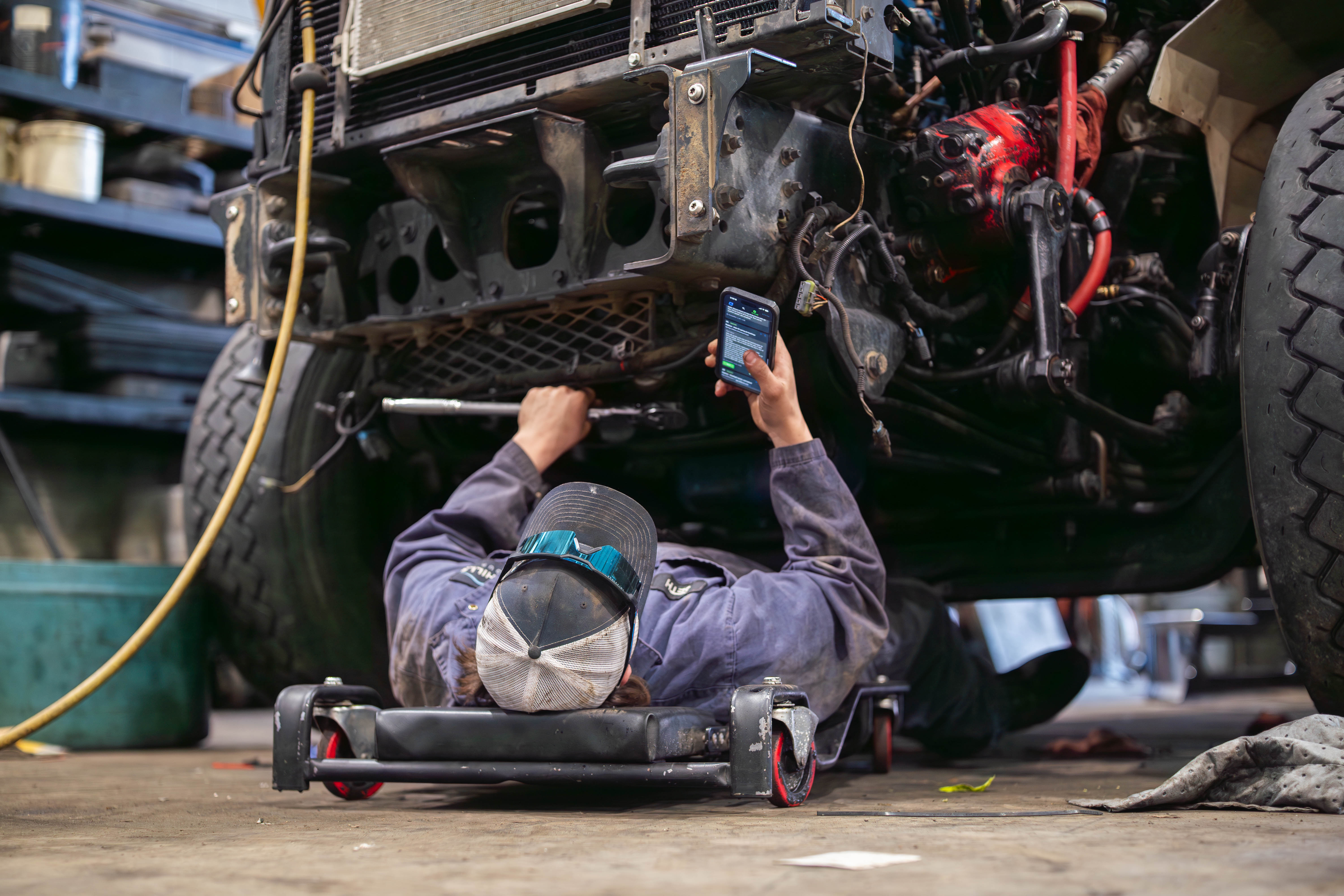
Technician Software That Keeps You Wrenching, Not Waiting
ShopView gives heavy-duty technicians a clear view of every assigned job, a fast way to log labor hours, and a simple workflow for adding notes, photos, and parts - all from a tablet or phone in the bay. No paper tickets. No waiting for admin. No hunting for job details that should already be in front of you.
More productive per technician per day
Technician time tracked accurately
Productivity increase reported by ShopView shops
Used by Technicians at Heavy-Duty Repair Shops Across North America
Diesel mechanics, heavy equipment technicians, truck and trailer repair techs, and fleet maintenance teams use ShopView to get through more jobs, document repairs clearly, and stop wasting time on paperwork that pulls them away from the work they are actually paid to do.




Less Time on Admin. More Time on Repairs.
Technicians do not get paid to fill out paperwork. But in most heavy-duty shops, that is exactly where a significant chunk of the shift goes - writing up job notes by hand, tracking down a service advisor to find out what is next, waiting for a work order to be printed, or trying to remember what was done on a unit that came back in.
ShopView puts everything a technician needs directly on a tablet or phone. Assigned jobs, job details, prior service history, parts requests, labor clock, notes, and photo uploads - all in one place, all accessible from the bay without leaving the lift. Techs spend more time on repairs and less time on everything around them.
Built for How Technicians Actually Work
See Your Jobs, Start Work, and Switch Tasks Without Asking Anyone
When a technician clocks in, ShopView shows them exactly what is assigned, what the priority is, and what details they need to get started. No whiteboard to check, no service advisor to track down, no paper ticket that may or may not be accurate. When a job changes - a part comes in, an approval goes through, a new task gets added - the technician sees it on their device immediately. And when they finish one job and are ready for the next, they can move on without waiting for someone to tell them what is up.
- View all assigned jobs and priorities from one screen
- See full job details: complaint, customer notes, unit history, prior repairs
- Get notified instantly when jobs are updated, approved, or reassigned
- Switch between jobs without going back to the service desk
- Works on any tablet or phone - no special hardware required
Clock In and Out of Jobs Without Slowing Down
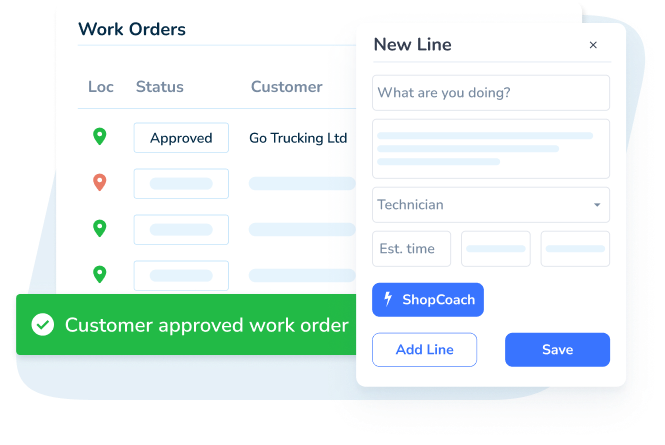
ShopView's technician time clock is built to be fast and frictionless. Clock onto a job, work, clock off. That is it. No time cards to fill out at the end of the shift, no trying to remember when you started a job two hours ago, no discrepancy between what was worked and what gets billed. Every minute logged is tied directly to the specific work order it belongs to. When the job closes, the labor is already documented, already accurate, and already attached to the invoice. Technicians do not have to rebuild their day in writing - it is already tracked.
- One-tap clock-in and clock-out against specific work orders
- Log time across multiple jobs throughout the shift with no gaps
- Technician time automatically flows into labor billing on the work order
- Idle time is visible to managers - so discussions are based on data, not guesses
- No paper time cards, no end-of-shift admin, no time entry disputes
Document Repairs Clearly Without the Paperwork
Good documentation protects technicians, helps the shop, and keeps customers confident. But documentation only happens consistently when it is fast and easy to do on the tools technicians already have in their hands. ShopView lets technicians add notes, upload photos, flag issues, and request parts directly from the work order on their tablet or phone. No paper, no separate system, no emailing photos to the service desk. Everything goes straight into the job record where the service manager, parts team, and admin staff can see it.
- Add technician notes directly to the work order from the bay
- Upload photos of damage, repair work, inspections, and parts
- Flag issues or request parts without leaving the job or finding a service advisor
- All notes and photos are timestamped and tied to the specific work order
- Repair documentation is instantly available to the service desk and admin team
What Technicians and Shop Teams Are Saying
"ShopView allows us to focus on getting the job done. I love that I have the freedom to build jobs and switch between tasks without needing help from admin. It saves me time, makes my workflow smoother, and has really boosted our productivity in the shop."
Heather F.
Administrator / Tech-facing role

"Even computer hating, change hating, redneck mechanics are rolling with this. All the guys say, it just gets better the more you use it. I am tracking 40 heavy equipment and big truck projects with 6 guys and the stress is off of me."
Matthew K.
Owner (on his technician team)

"User friendly, easy to navigate and easy to learn. Compare to other systems, ShopView is much easier to learn. I have been using it for two months and I am 100% satisfied."
Jimmy M.
Service Advisor, Automotive
What Shops See When Technicians Use ShopView
More productive per technician per day
Productivity increase - Foothills Group
Technician time tracked accurately
Additional monthly billing per technician on average
What a Shift Looks Like With ShopView
Start the Day With a Clear Job Queue
Clock in and see every assigned job, the priority order, job details, and any notes from the service desk - on your tablet or phone. No whiteboard, no paper packet, no guessing what is next.
Work the Job, Log Your Time as You Go
Clock onto a job and work. ShopView tracks your time automatically against that specific work order. Add notes, upload photos, flag a parts request - all without leaving the bay or finding the service advisor.
Finish and Move to the Next Job Instantly
Close a task, clock off, and the next job is already there. Your documentation goes straight to the service desk. No end-of-shift paperwork, no time card to fill out, no rebuilding what you did from memory.
ShopView Works for the Whole Shop, Not Just the Bay
When technicians document work clearly and track time accurately, every other role in the shop benefits. Service managers can see job progress in real time. Parts managers get parts requests instantly. Admin staff generate accurate invoices without chasing missing details.
Shop Owner
Revenue, profitability, and technician performance data.
Learn moreService Manager
Schedule jobs, track repairs, manage technician workload.
Learn moreParts Manager
Track inventory, manage ordering, connect parts to work orders.
Learn moreAdmin Staff
Generate invoices, track payments, manage customer records.
Learn moreBuilt by People Who Have Worked in Heavy-Duty Shops
ShopView was not designed in a boardroom. It was built by people who understand what it means to work in a heavy-duty repair environment - the pressure of a truck that has been down for two days, the frustration of a work order that does not have the right parts list, the satisfaction of closing out a complex job clean.
That is why ShopView works the way technicians actually work. It is fast, it is simple, and it does not add friction to a job that already has enough of it.
Why Heavy-Duty Technicians and Shop Teams Choose ShopView
Works on Any Device in the Bay
ShopView is browser-based and works on any tablet or phone your shop already has. No special hardware, no app installs, no compatibility issues. If it has a screen and a browser, it runs ShopView.
Fast Enough for a Busy Shift
ShopView is built for speed. Every action - clocking in, updating a job, adding a note, requesting a part - takes seconds, not minutes. It does not slow down the work. It gets out of the way of it.
Support That Actually Helps
If something is not working right, ShopView support responds fast - by chat, phone, or email. You do not get sent to a knowledge base and left there. You get a real answer from someone who understands what is happening in a shop.
The Complete Guide to Technician Software for Heavy-Duty Repair Shops
Heavy-duty technicians are the engine of every repair shop. The work they do - diagnosing, repairing, documenting, and completing jobs - is what generates revenue, keeps customers coming back, and keeps the shop running. When the tools they use to do that work are slow, confusing, or missing, the whole shop slows down with them.
Technician software built for heavy-duty repair is not about surveillance or micromanagement. It is about giving technicians what they need to work faster, document better, and get through more jobs without more friction.
What Is Diesel Repair Software for Technicians?
Diesel repair software for technicians is a shop management platform that gives mechanics and repair technicians a mobile-friendly interface for receiving jobs, logging labor hours, documenting repairs, requesting parts, and completing work orders - directly from the bay.
Unlike generic job tracking tools, diesel mechanic software is built around the complexity of heavy-duty repair work: long multi-day jobs, multiple technicians on one repair, expensive and specialized parts, detailed documentation requirements, and the need to work from tablets or phones without a stable desk setup.
A strong technician platform helps repair teams:
- Receive and review assigned jobs without going to the service desk
- Clock in and out of specific jobs to track labor accurately
- Add repair notes, photos, and inspection findings from the bay
- Request parts and see parts status without leaving the lift
- Switch between jobs without disrupting documentation
- Complete work orders that feed directly into accurate invoices
- Work from any tablet or phone without special hardware
Why Technician Time Tracking Is the Most Important Feature in Any Shop
Technician time is not just a productivity metric. It is the direct input that determines how much a shop bills and how profitable each job is. When time tracking is inaccurate - because technicians are estimating at the end of the shift, or because the system is too slow to use consistently - revenue leaks out of every job.
ShopView's time clock is built to be used in the moment, not reconstructed later. Technicians clock on and off jobs as they happen. The result is accurate labor data attached to each work order, which flows directly into billing without anyone having to reconcile time cards against job notes.
For shops that move from manual time tracking to ShopView, the improvement in billable hour capture is typically immediate. Technicians do not have to change how they work - they just have to tap a button when they start and stop. The system does the rest.
Automotive Technician Time Tracking: Heavy-Duty vs Light-Duty
Automotive technician time tracking in a heavy-duty shop is fundamentally different from light-duty or passenger vehicle repair. Heavy-duty jobs are longer, more complex, and often involve multiple technicians working on the same unit at different times. Tracking time accurately across those dynamics requires a system built for it - not adapted from a general automotive tool.
ShopView tracks technician time at the task level, not just the job level. A technician can clock in on a specific task within a larger work order, clock off, and another technician can clock onto a different task on the same job. All of it is captured, timestamped, and tied to the correct job record without any manual reconciliation.
This is particularly important for diesel repair, fleet maintenance, and heavy equipment work - where jobs regularly span multiple shifts and require careful documentation of who did what and when.
How Diesel Repair Software Reduces Unbilled Labor
Unbilled labor is the most common and most invisible revenue leak in a heavy-duty repair shop. A technician spends forty minutes diagnosing a problem before the formal work order starts. Another spends twenty minutes cleaning up after a job that was already marked complete. Another finishes a task but forgets to log the last thirty minutes before moving to the next job.
None of these feel significant in the moment. Across a shop with six technicians running eight to ten jobs a day, they add up to thousands of dollars a week in labor that was done but never billed.
ShopView's always-on time tracking significantly reduces this gap. Because clocking on and off is fast and happens at the job level, technicians are more likely to do it consistently. Because managers can see live time data, they catch jobs that have closed without complete labor records before the invoice goes out. The combination of easy tracking and real-time visibility closes most of the gap before it becomes a billing problem.
Heavy Equipment Shop Management for Technicians
Heavy equipment repair technicians face additional complexity beyond what diesel truck technicians typically deal with: larger and harder-to-source parts, longer job cycles, equipment that may be at a remote job site rather than in the shop, and detailed documentation requirements for equipment owners and operators.
ShopView's heavy equipment shop management workflows support technicians working on construction equipment, agricultural machinery, mining equipment, and other heavy plant by giving them the same mobile-friendly job management tools they would have in the shop - whether they are on the shop floor or working a field service call.
Parts requests, labor logging, inspection notes, photos, and job updates all work the same way regardless of where the technician is. Service managers get the same real-time visibility into field jobs that they have into in-shop work.
What Technicians Actually Want From Shop Software
Technicians do not want more software. They want tools that make their job easier, not harder. The most common complaints about shop software from the technician's perspective are: it is too slow, it is too complicated, it does not work well on a phone or tablet, and it creates more steps, not fewer.
ShopView is designed around those complaints. It is fast. It is simple enough that technicians who have never used shop software before can figure it out in minutes. It works on any device. And it is built to reduce the steps between starting a job and completing it, not add to them.
The result - confirmed by ShopView customers - is that even technicians who are skeptical about technology adopt it quickly because it actually makes their shift easier, not harder.
Choosing Diesel Repair Software as a Technician or Shop Manager
If you are evaluating diesel repair software from the technician's perspective - or as a manager choosing software your technicians will actually use - these are the questions that matter:
- Does it work on a tablet or phone without needing a desk or laptop?
- Can a technician clock in and out of a job in under five seconds?
- Does it show the full job history and prior service records for a unit?
- Can technicians add notes and photos directly from the bay?
- Does it handle multiple technicians on the same job simultaneously?
- Is it fast enough to use between tasks without slowing the shift down?
- Will technicians actually use it, or will they work around it?
ShopView answers yes to all of these. It is built for the pace, environment, and workflow of a heavy-duty repair bay - not adapted from a generic service management tool.
Frequently Asked Questions
Ready to Help Your Technicians Do More in Every Shift?
Join heavy-duty repair shops using ShopView to give technicians faster job access, accurate time tracking, and a simpler way to document repairs - so they spend more time wrenching and less time on everything around it.